 Lakonik
In the room
Record on iPhone. Recording continues in the background and with the screen locked.
For yourself · iPhone and web
Record a meeting, invite the bot or upload a file. Lakonik prepares a transcript, report and tasks so you can focus on the conversation.
Russian, Kazakh and English. Even in the same meeting.
For companies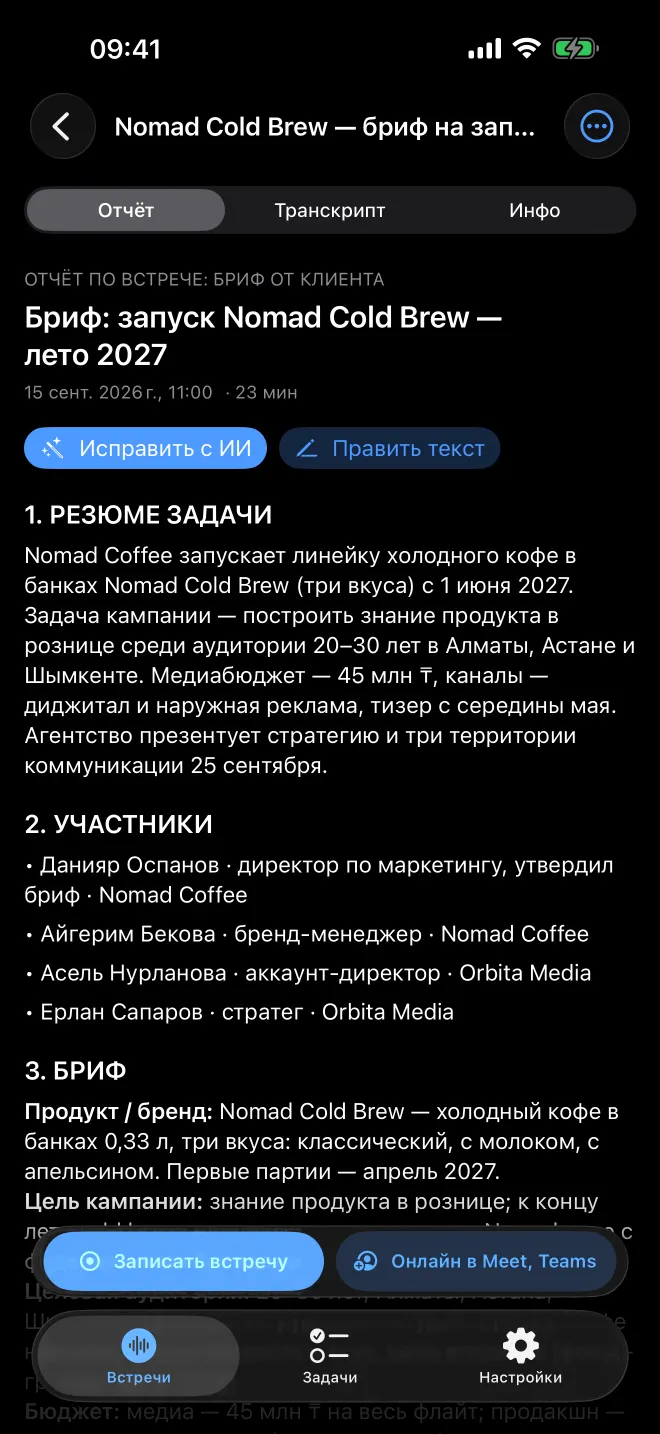
Keep decisions and tasks within reach.
How it works
Choose how to record. Lakonik turns what was said into something your team can use.
Record on iPhone. Recording continues in the background and with the screen locked.
Invite the Lakonik bot with a Google Meet or Microsoft Teams link. The host needs to admit it.
Upload an audio or video file from your iPhone or the web workspace.
Recording → speaker transcript → report and tasks
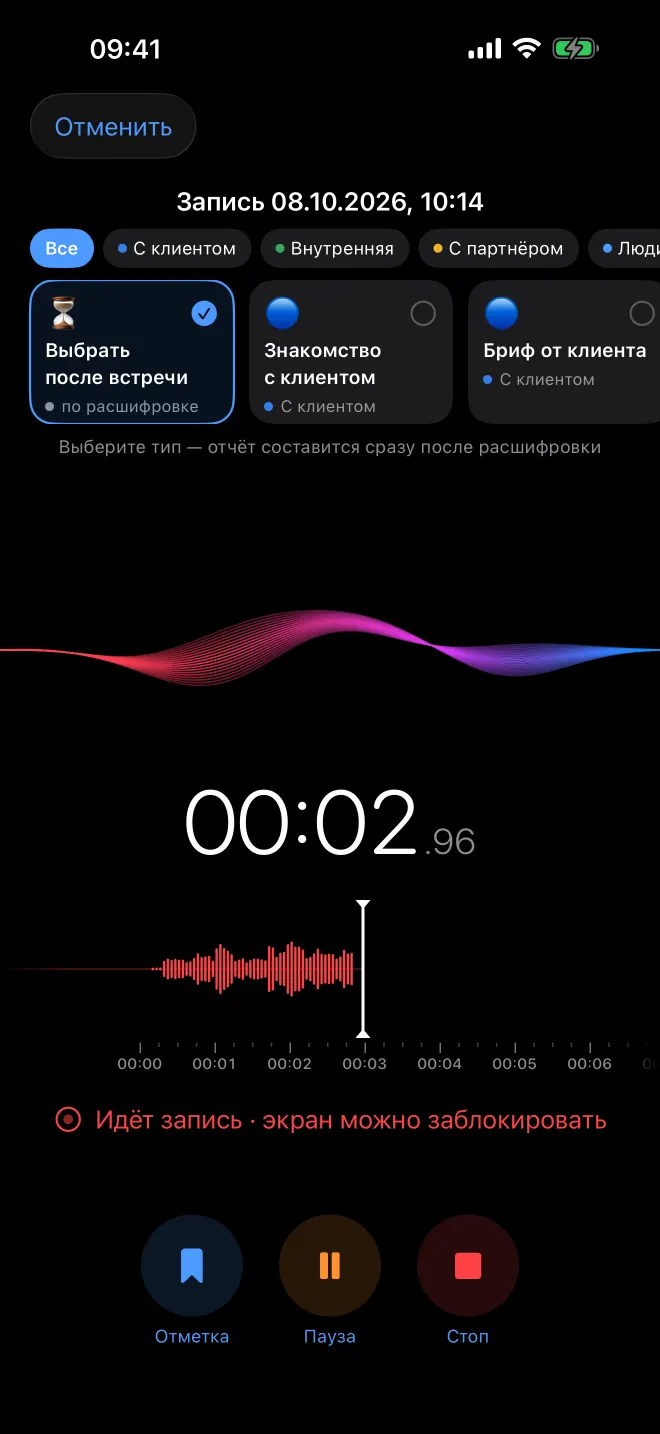
Talk, mark key moments and choose your meeting type.
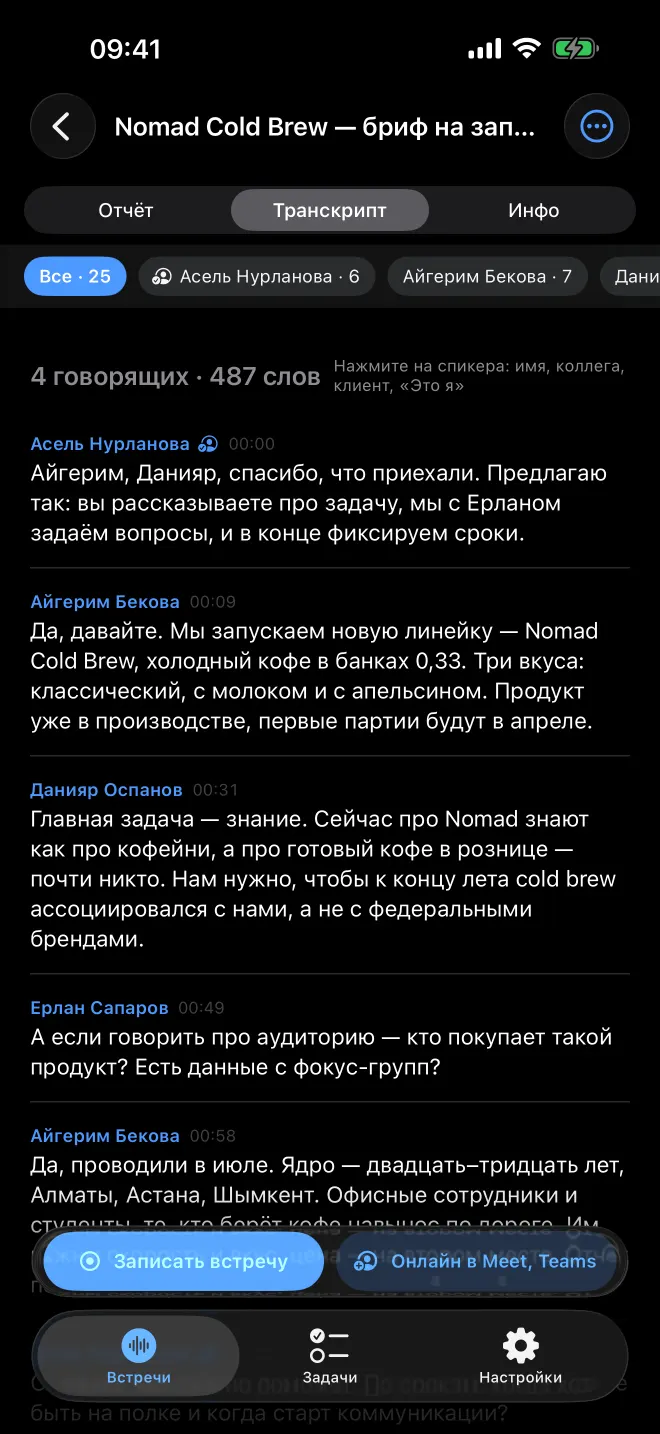
The transcript separates speakers. You can correct their names manually.
Reports tailored to the meeting type, tasks with owners and due dates. Export to Word and PDF or share access with colleagues.
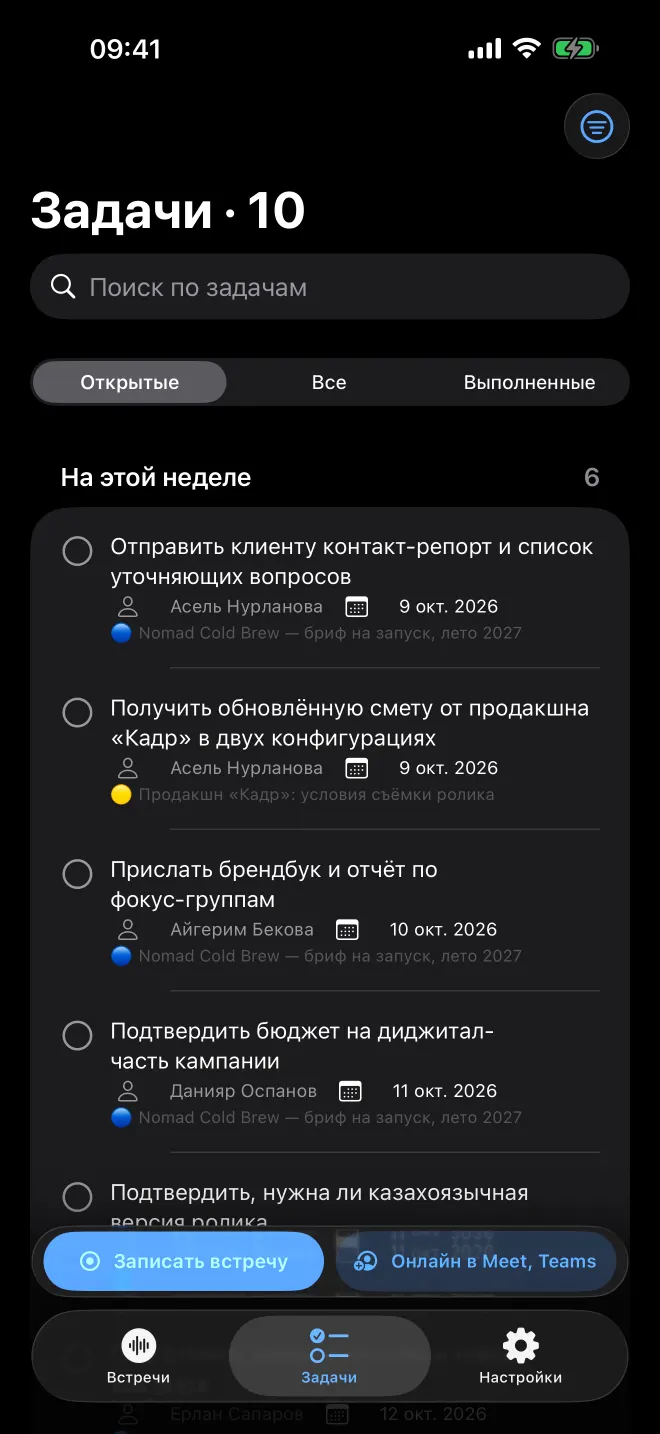
Actual app screens in Russian. All meetings, people and companies shown are fictional demo data.
Privacy and control
Clear rules for handling your meeting data.
Audio is deleted from our server immediately after transcription.
Your recordings are not used to train models.
Only you and the people you share with can see your meeting.
Personal plans
Choose the recording length and monthly allowance that fit your work.
Free
$4.99/mo
or $47.99/yr
$9.99/mo
or $95.99/yr
7-day free trial
$24.99/mo
or $239.99/yr
Annual billing costs about 20% less than paying monthly.
Prices for the US App Store. The App Store shows prices in your country’s currency.
Subscribe and cancel through the App Store.

Your own server, with control over access and infrastructure.
Meeting languages
Russian, Kazakh and English — including within the same meeting. Transcripts separate speakers. Review names, wording and outcomes before sharing with colleagues.
The website language does not change the app’s interface language. Screenshots show the Russian version.
Install Lakonik from the App Store and sign in with an email code, Apple or Google. Allow microphone access and tap «Записать встречу» (Record meeting).
On Pro and Unlimited, the Lakonik bot joins Google Meet and Microsoft Teams via a meeting link. The host must admit it; platform rules may restrict admission. You can also upload an existing recording.
Subscribe through the App Store. To cancel, open your Apple account settings → Subscriptions → Lakonik. Deleting your Lakonik account does not automatically cancel your subscription.
Recording, transcription and clear outcomes in one app.