 Lakonik

iPhone
Record meetings and work with the results.
AI meeting notes · iPhone and web
Lakonik turns conversations into transcripts, reports and tasks. For companies: storage on your own server, with transparent data processing.
Company hosting is available now. Transcription and reports currently use external AI services.
Our first corporate client — ADV Kazakhstan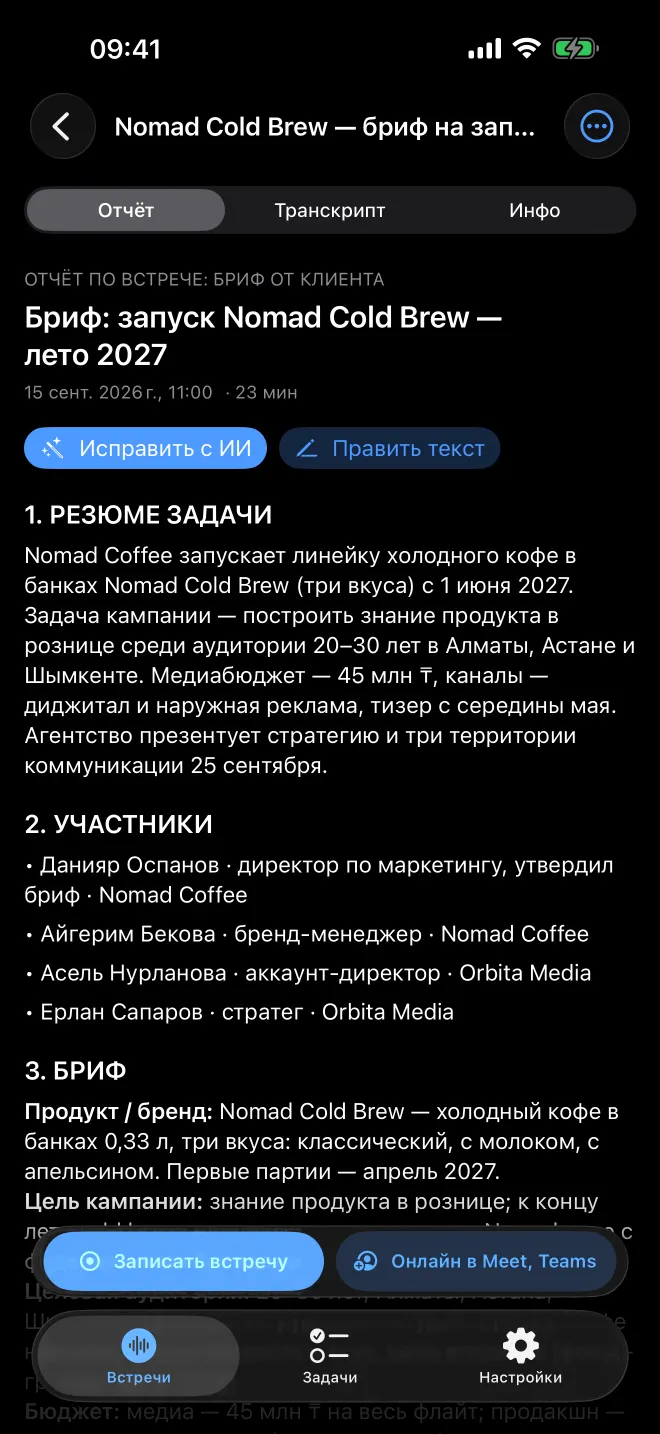
Your company controls keys, access and backups.
Architecture and data boundaries
We are working towards speech recognition inside your company. This diagram separates working components from those in development. Reports and tasks still use external Claude; it receives no audio.
Employee devices and your company’s server. ADV uses its own data centre in Kazakhstan.
Record meetings and work with the results.
Meetings, file uploads and projects.
Already runs on your company’s server.
Handles requests from the app and web workspace.
Coordinates transcription and report generation.
Accounts, transcripts, reports and tasks.
Temporary audio, deleted after transcription.
Organization code, work email and access management. Backups under your company’s control.
Speaker separation and speaker count, Russian, Kazakh and English with language switching, and word timestamps. Today, ElevenLabs handles speech recognition.
Name speakers by voice only with their consent. Voiceprints will be stored and processed only on your company’s server.
Text only →
Reports and tasks from text, without audio. API data is not used for training. Requests and responses are deleted within 30 days; those flagged for policy violations may be retained for up to 2 years. Zero retention requires a separate agreement with Anthropic.
← Report and tasks
Organization code → server address. Only the code, with no meeting content.
Lakonik provides the app and update images. No company data is sent for releases.
This comparison covers meeting content sent for AI processing. Email, sign-in and bot connections are described below.
Privacy and control
Your own server puts storage and access under your control. Here is how processing works today, including external services.
Company hosting · available now
Your company’s server
Accounts, transcripts, reports and tasks live in your company’s database. Audio recordings stay in temporary storage on its server.
The developer has no access to the server or database unless your company grants it.
Your company uses its own AI service keys and controls backups and updates.
External AI services · today
Audio → speech recognition
Receives audio and retains it with the transcript under its policy. Training on data is disabled in Lakonik’s accounts. With its own keys, your company disables Data use in its own account.
Text → report and suggestions
Receives the transcript. API data is not used for training. Requests and responses are deleted within 30 days; those flagged for policy violations may be retained for up to 2 years.
The transcript and report return to your company’s server
Lakonik deletes audio from its server immediately after transcription, and the bot’s copy after transfer. This does not delete ElevenLabs’ copies: the provider’s retention terms apply there. You choose the storage period on your iPhone.
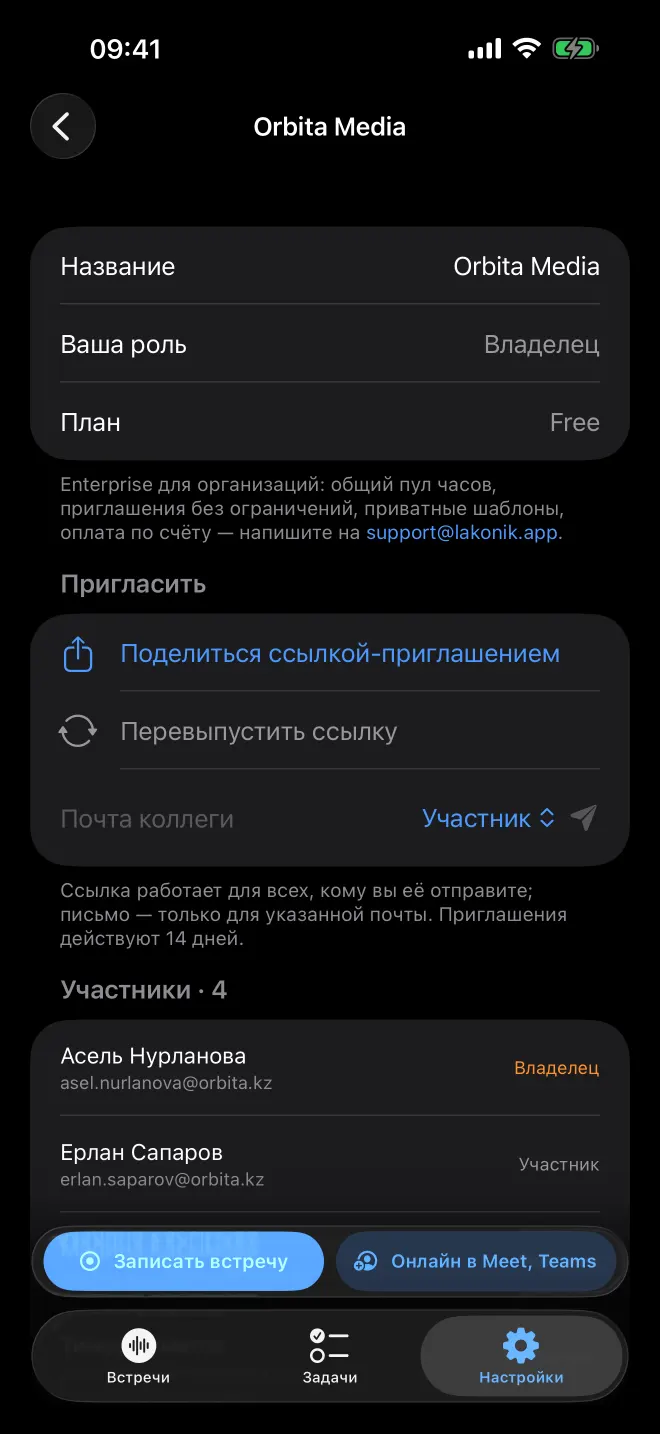
In the app, a meeting is accessible to its owner and the people they share it with. Organization roles control who can manage members and invitations.
Your email address and sign-in code go to Resend or your company’s mail server. Apple and Google verify sign-ins when you choose those methods. The bot joins Google Meet or Microsoft Teams under the meeting platform’s rules.
When you enter an organization code, the Lakonik directory receives only that code and returns your company’s server address. When generating AI summaries in Projects, Anthropic also receives task and status information.
Company server
Docker containers on your company’s network. External access to the app uses HTTPS through Caddy.
HTTPS · app entry point
Lakonik API
Processing queue
Company database
Temporary audio
Meet / Teams · bot profile
Company speech recognition
Your IT team controls updates:
docker compose pull && docker compose up -dServices and the database are not exposed externally. Caddy uses port 80 for HTTPS redirects and certificate issuance.
Reports and tasks are stored until deleted. Deleting audio from the server does not delete copies held by the external transcription provider: ElevenLabs’ terms currently apply.
Meeting → owner + people they share it with
An administrator role does not grant access to other people’s meetings. An administrator can see a meeting only as its owner or an explicitly authorized recipient.
Projects
Kanban, Inbox and weekly reports in the Projects web workspace. Access to the module is by invitation.
Prepare the brief
Gather materials
Agree on the plan
Send the final report
Meeting tasks ready to assign to projects
Outcomes, risks and next steps
For companies
Lakonik deploys with Docker on your company’s server. Your team uses the iPhone app and web workspace while your IT team manages the infrastructure.
An organization code directs the app to your server. Staff sign in with their work email; an administrator manages invitations.
Owner, administrator and member. Access to each meeting is granted separately by its owner.
The Projects web workspace includes a Kanban board, Inbox and weekly report. The module is available to invited members.
Already in use
Company infrastructure · Kazakhstan
Lakonik’s first corporate client. Since October 2026, Lakonik has been running on ADV’s own server in its data centre in Kazakhstan. The Google Meet and Microsoft Teams bot also runs on ADV’s server.
Meeting languages
Russian, Kazakh and English — including within the same meeting. Transcripts separate speakers. Review names, wording and outcomes before sharing with colleagues.
The website language does not change the app’s interface language. Screenshots show the Russian version.
What’s next
On your company’s GPU server or on iPhone, so audio can stay within your company. Today, ElevenLabs handles recognition. Local transcription alone will not replace the external report service.
Name speakers by voice only with their consent. Voiceprints will be stored and processed only on your company’s server.
Audio goes to ElevenLabs for transcription; text goes to Anthropic for reports and tasks. In the target architecture, audio is processed on your company’s server and Claude receives only text. Local STT is still in development.
No. In the app, a meeting is visible to its owner and the people they share it with. An administrator role manages members and invitations but does not itself grant access to other people’s meetings.
A company server with Docker, a domain, your own external AI service keys and email delivery for sign-in codes. Your IT team controls infrastructure, backups and updates. A GPU will be needed for future local speech recognition.
Pricing is available on request. Email support@lakonik.app to discuss infrastructure, staff access and your team’s needs.
Meeting outcomes in Lakonik. Storage under your company’s control.